A subscription tracker built for iPhone Duo
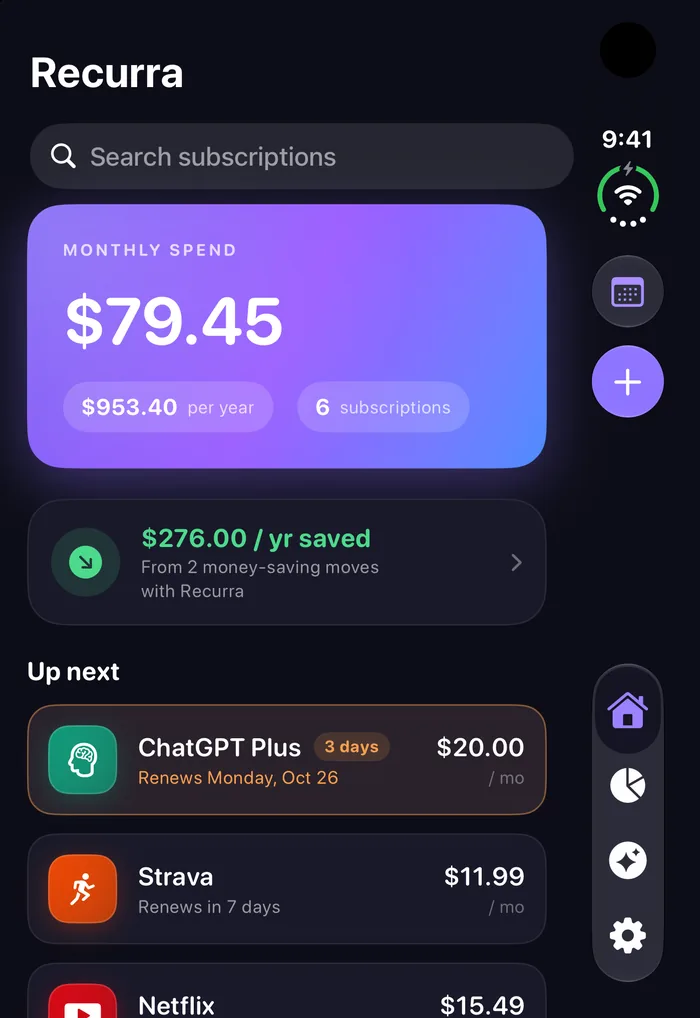
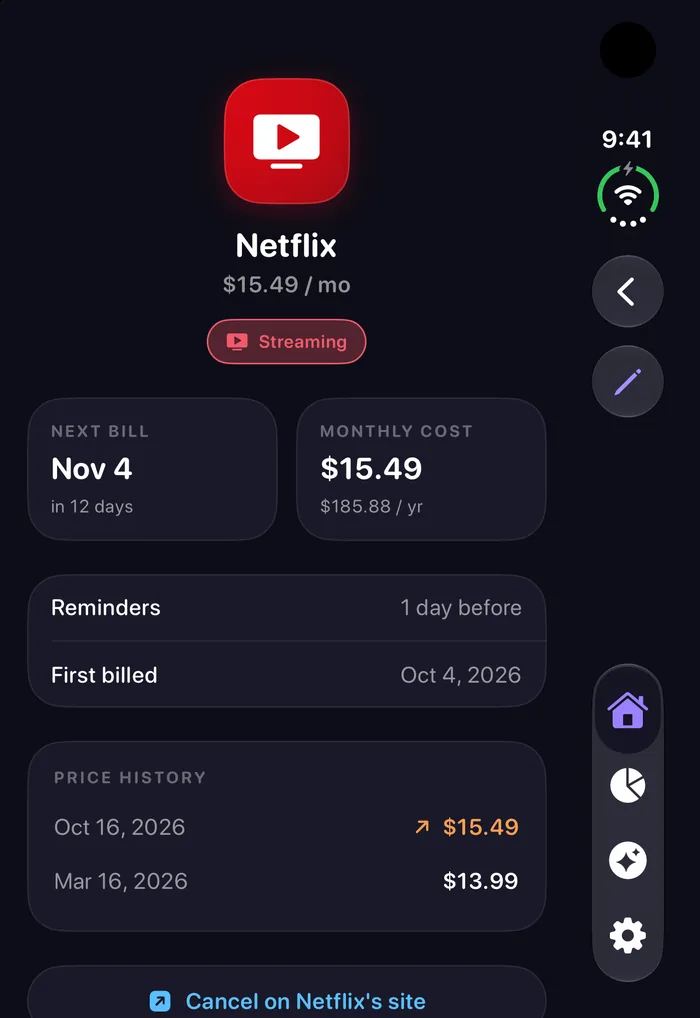
Recurra fits the outer display with its controls at the side, and opens into your subscription list beside the details when you unfold it.
iPhone Duo gives you two very different screens: a tall, narrow outer display for quick checks, and a wide inner display when you open it. Recurra, a subscription and bill tracker with an on-device AI, is designed for both, following Apple's guidelines for iPhone Duo — so it feels at home whichever way you hold it.
Closed: everything at a glance on the outer display
On the outer display, Recurra's toolbar and tab bar move to the side, under the camera, the way iPhone Duo is designed to work. That leaves the full height of the screen for your monthly spend, what renews next and every subscription you track.
Open: your list and the details side by side
Unfold iPhone Duo and Recurra shows two things at once: your subscriptions on one side, and whichever one you pick on the other — its next charge, price history, reminders and a link to cancel. Tap down the list to review everything without going back and forth.
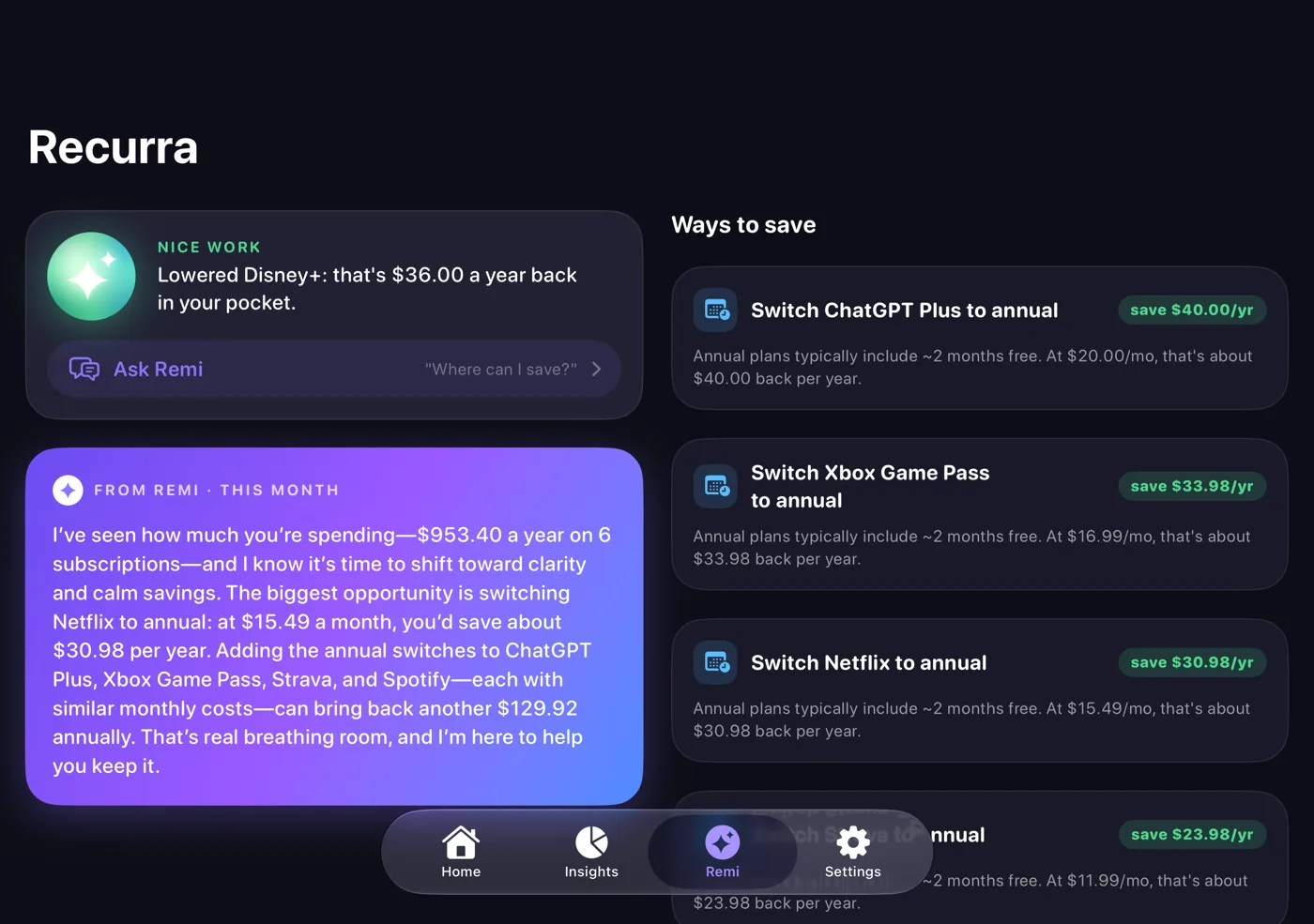
Remi, Recurra's AI money mentor, and Insights also spread into two columns, so your monthly report sits next to the specific ways to save.
Half open, folded or flat
Hold iPhone Duo like a book, stand it on a table or lay it flat. When the device is partly folded, Recurra keeps its columns, buttons and charts clear of the fold, so nothing you need sits on the crease. Sheets like the charge calendar split cleanly too, with the month on one side and the day's charges on the other.
The same app, wherever you use it
It's one app on iPhone Duo, iPhone and iPad, with the same features and the same price. Everything you'd expect from Recurra works on iPhone Duo:
- Reminders before every renewal and free-trial countdowns, so nothing charges you by surprise. See bill reminders.
- Remi, an on-device AI that reviews what you pay and tells you what to keep, cancel or downgrade. See AI subscription tracker.
- Price history that shows when a service raised its price.
- A charge calendar of everything due this month (Pro).
- No bank login and no account. Your data stays on your device. See why there's no bank login.
Get Recurra for iPhone Duo
Track every subscription on both screens. Free to start, no bank login.
Download Recurra freeQuestions
Does Recurra work on iPhone Duo?
Yes. Recurra is optimized for iPhone Duo. On the outer display its toolbar and tab bar sit along the side, and when you open the device your subscription list and the selected subscription appear side by side.
What happens when I fold or unfold iPhone Duo?
Recurra resizes in place and keeps where you were. Open a subscription on the outer display, unfold the device, and it stays open beside your list. Close it again and you're back on that subscription.
Does it work half open, like a book or on a table?
Yes. When iPhone Duo is partly folded, Recurra keeps its columns and controls clear of the fold so nothing important sits on the crease.
Is it a different app from Recurra on iPhone?
No. It's the same Recurra app with the same features and price. It adapts its layout to iPhone Duo, iPhone and iPad automatically.